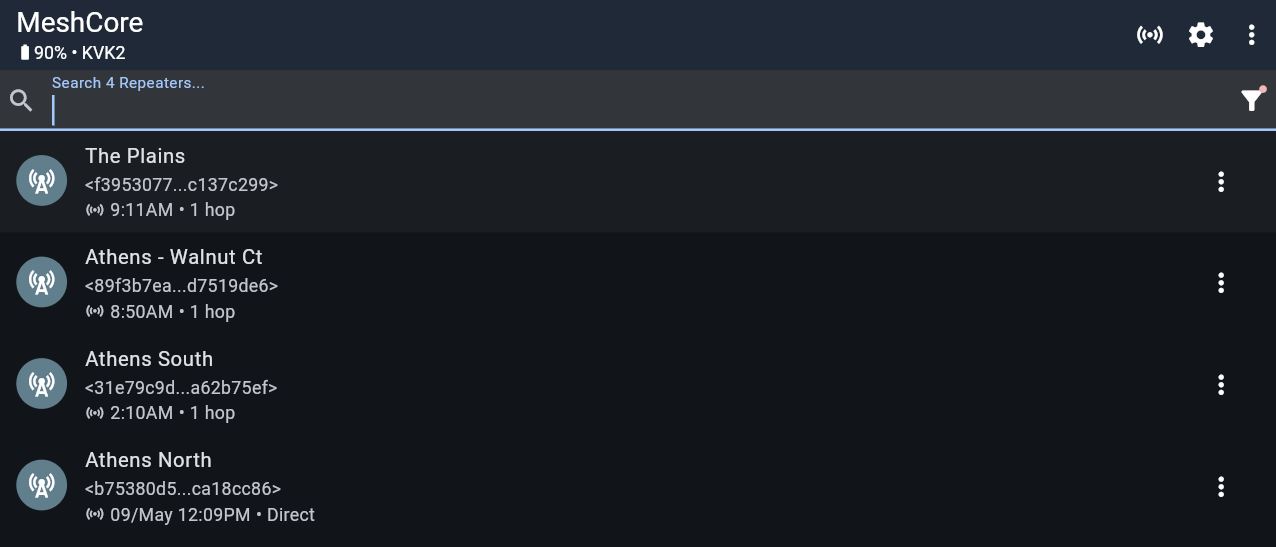
If you do not specify a path for a 'contact', the Network will do its best to configure a usable path for you. And if you are using the "Public Channel," manual path-setting is not used.
A reminder that if you wish to pre-configure route paths, at a minimum you must have the Repeaters you want to use, listed in your contacts. But best to have all active repeaters visible. Example.
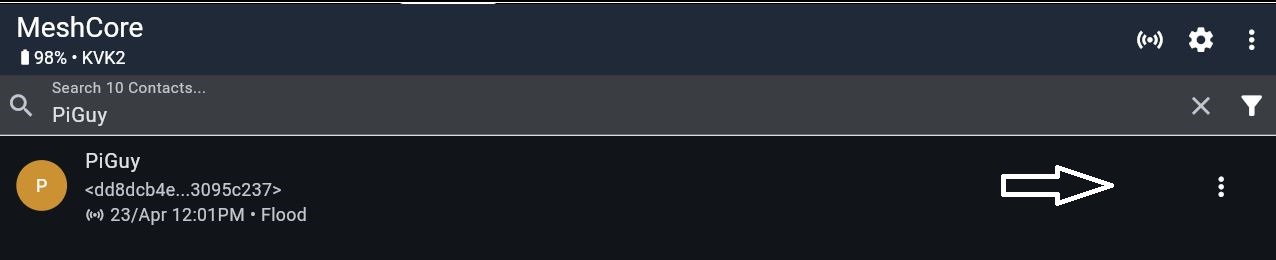
Here's an example of how to pre-configure a route path. In this example, I want to define a path from the Athens North repeater, relaying through the Athens South repeater to my friend "PiGuy" on Athens' southside. First, I lookup "PiGuy" in my Contacts Search:
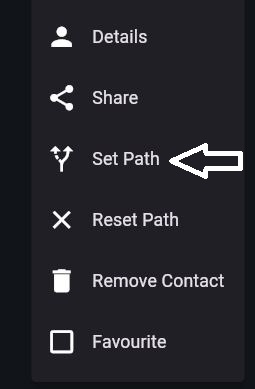
Next, I go to the '3-dot' menu far right; and select Set Path"
On the next menu, please note the "aa,bb,cc" string. This is where I input the 'routing codes' for the repeaters I wish to use. These 2-character codes are the first two characters of each Repeater's Public Key.
 >
>Using the table below, I lookup the codes for Athens North (b7) and Athens South (31) in the order of message flow. (These codes are case sensitive):
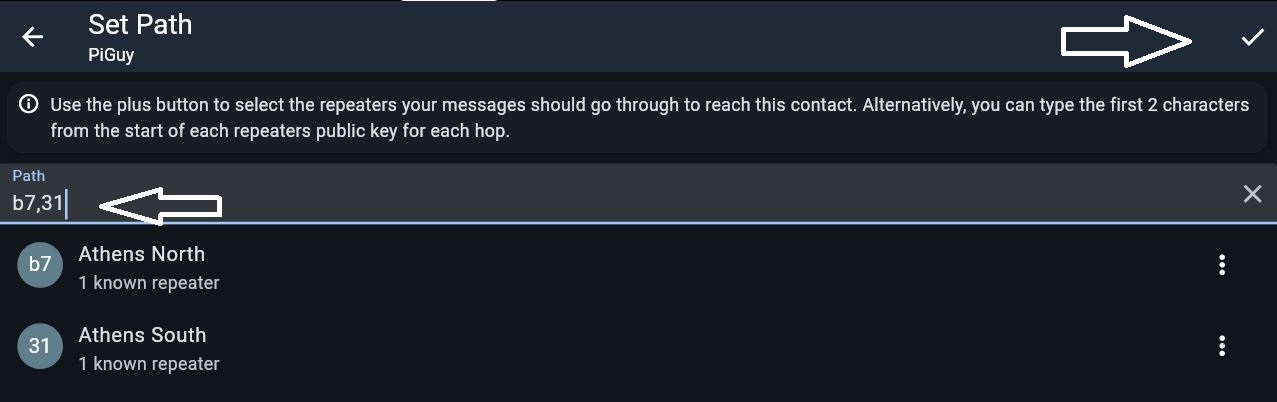
MeshCore confirms the names of the Repeaters I have specified. Proofread these names for accuracy, then (important) click the 'checkmark' at the far upper right of the screen to save your configuration.
The Plains Repeater:
f39530778f8e75461237bc16dba78eec1e66164041560a3fb5144535c137c299

Walnut Court Repeater:
89f3b7eaa72deba14cc74fa0d4d8ea2b8a4219116d0588004626dadad7519de6

Athens North Repeater:
b75380d5d5af8794f713cd1f9a2ed729f21552e28d1a770715b2e493ca18cc86

Athens South Repeater:
31e79c9de7c328071b9ff956f7379a7c95bb32f2ab6487eb683b7931a62b75ef